Blog Development
Why I Built My Own CRM: Software That Fits the Business
Off-the-shelf CRMs are built for sales teams. Here's the one I built to run FreshSyntax: quotes, invoices, costs, a bank projection and the year end.
- Published
- Reading time
- 3 min
- Written by
- Alex Tweedie
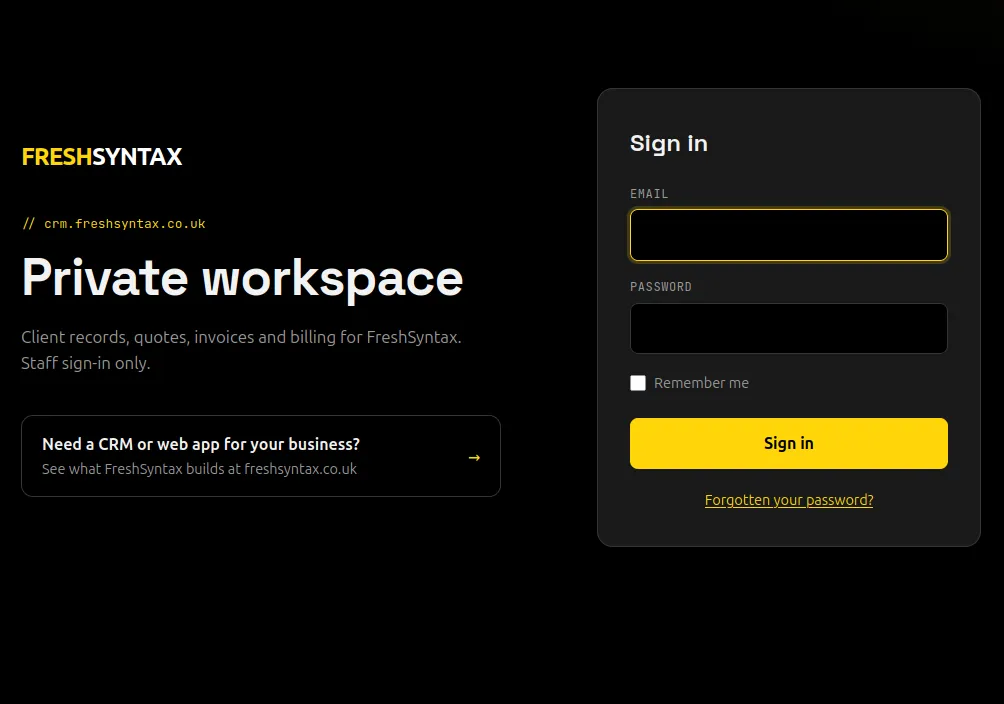
For years, FreshSyntax's admin ran on a mix of spreadsheets, an invoicing app and a reminder in my head. Off-the-shelf CRMs never quite fitted. They were built for sales teams with pipelines, not a small company that quotes, builds, invoices and pays its accountant once a year. So I built my own. It now runs the business side of FreshSyntax every day, and every feature exists because I needed it.
The screenshots in this post use made-up demo data, not real clients or figures.
Quotes and invoices
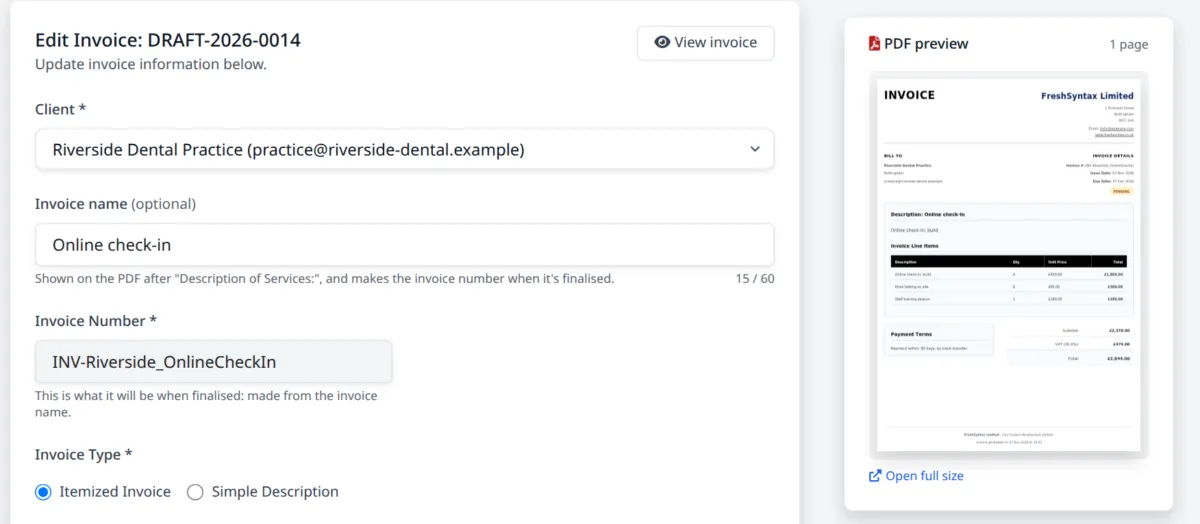
Quotes and invoices share one editor with a live PDF preview, so what I type is what the client receives. A quote becomes an invoice in a click. Each invoice keeps the VAT rate it was issued with, and an issued number never changes. Mistakes are cancelled with a credit note rather than deleted, because UK records have to be kept for six years.
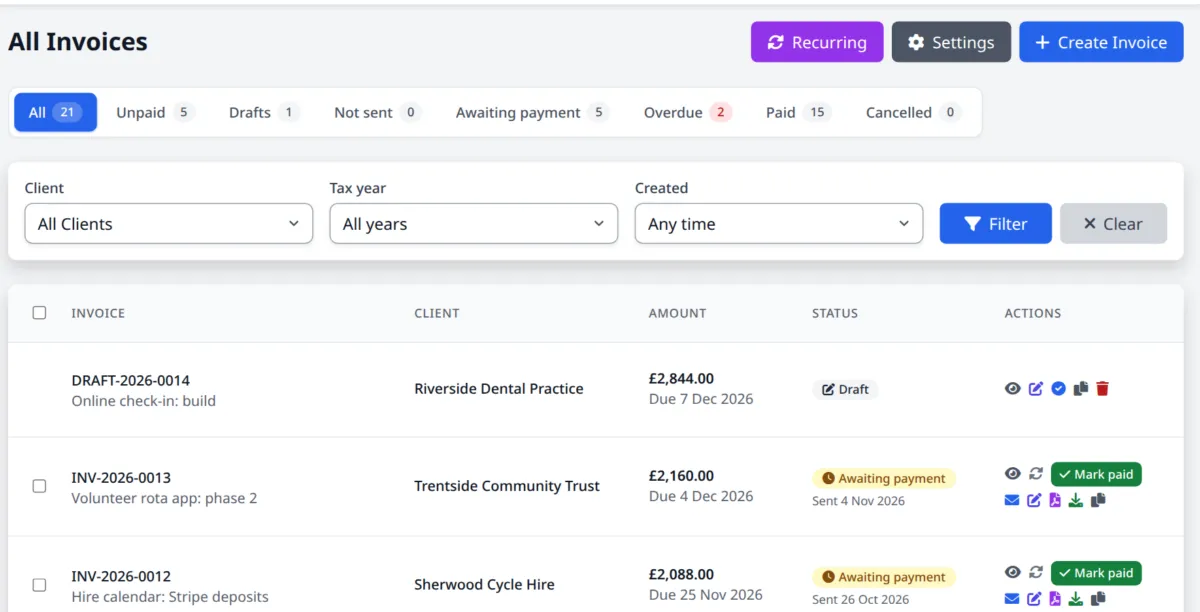
Recurring work, such as hosting and support, creates its own draft invoices when it's due. Tabs for unpaid, overdue and paid invoices show at a glance who owes what, and overdue invoices prompt a polite reminder at 14, 30 and 45 days.
Costs and the bank balance
Recurring supplier costs and one-off expenses sit side by side, with receipts attached and categories I choose. Costs can start in the future or stop on a date, so a cancelled hosting plan drops out of every figure on the right day.
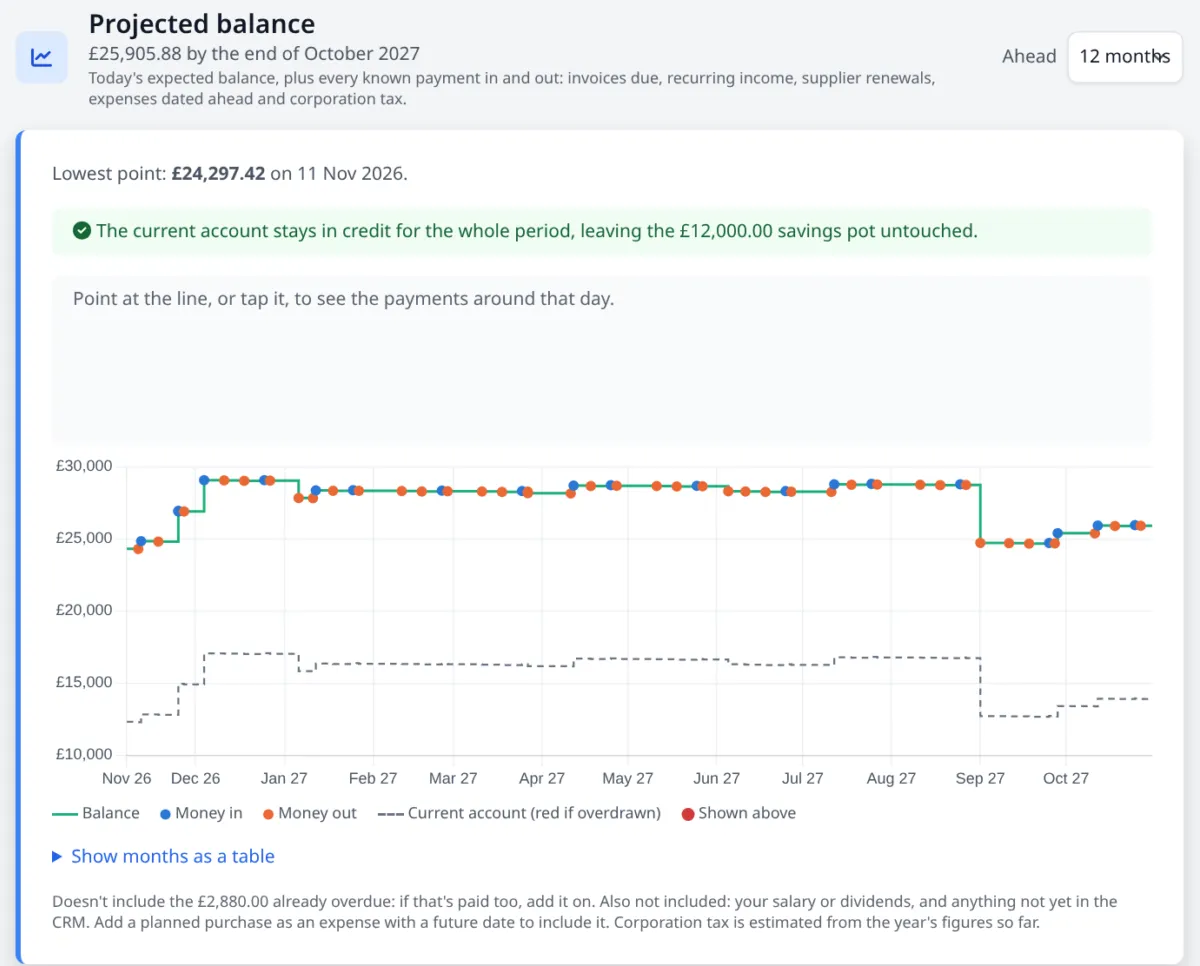
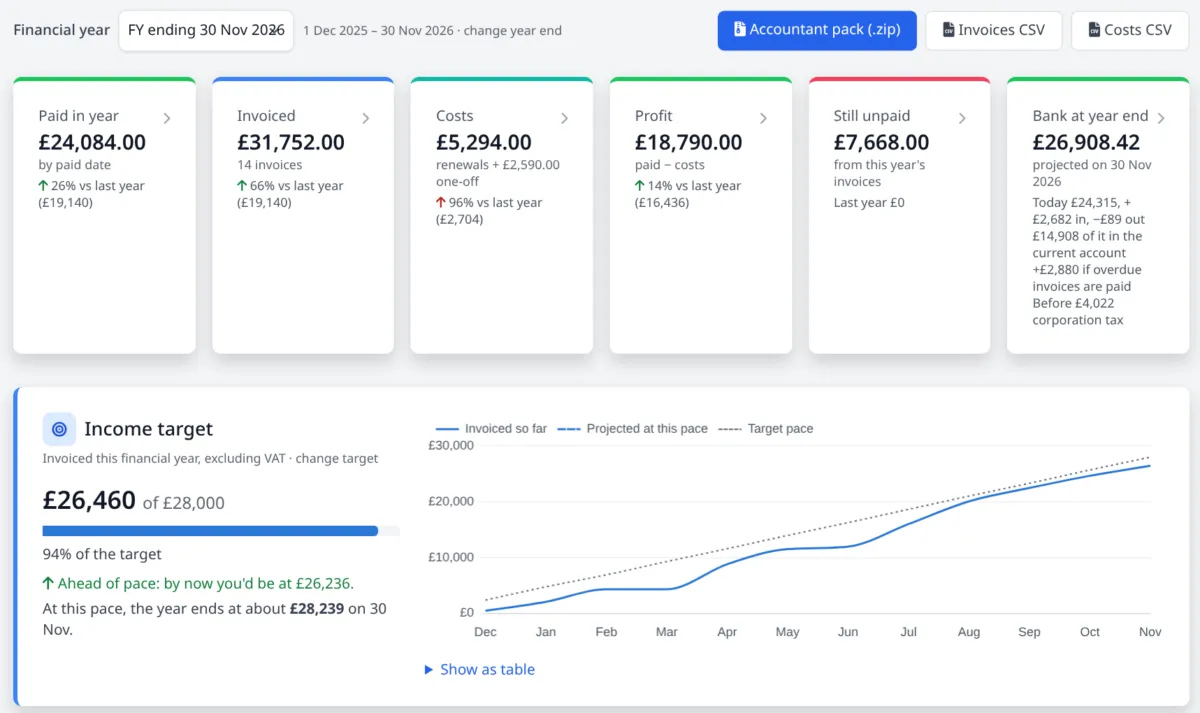
The part I use most is the bank projection. I enter the real balance now and then, and the CRM works out where it should be from everything paid in and out since. It then projects forward 6, 12 or 24 months: invoices due, renewals, planned purchases and an estimate of corporation tax. It warns me before the current account would go overdrawn, and a tile on Reports shows the expected balance at the financial year end.
Reports and the year end
Reports cover the financial year: invoiced, paid, costs, profit and money still owed, each compared with last year. There are charts for cash flow, income by client, how fast clients pay and distance from the VAT threshold. Year-end deadlines are all tracked in one place: accounts, the confirmation statement, the CT600 and the tax payment. Each can carry its cost, or be marked as covered by the accountant's yearly fee. When the year ends, one button builds an accountant pack: every invoice PDF plus CSVs of income and costs, in a single zip.
Built properly
It's a private, single-user system with two-step sign-in, rate-limited logins and a nightly database backup. It installs on my phone like an app, deadlines go straight into Google Calendar, and a weekly email lists anything that needs attention.
Behind it sit well over 200 automated tests. I add features most weeks, and the tests are what make that safe. It's the same approach I describe in Working With AI as a Senior Developer.
Should you build your own?
Not always. If an off-the-shelf tool fits how you work, use it. But if you're bending your business to fit the software, paying for features you'll never use, or keeping the important bits in a spreadsheet anyway, something built around your own process can pay for itself quickly.
Want a CRM or web app built around how your business actually works? I'd be happy to talk it through. Enquire now.