Blog Development
Why I Built GitVitals: Seeing What's Really Happening in a Software Project
Larger projects with several developers made me want a clear picture of how the work was going - so I built GitVitals.
- Published
- Reading time
- 3 min
- Written by
- Alex Tweedie
More of FreshSyntax's work is now on larger projects, built alongside other developers: clients' in-house teams, freelancers and my own. The code itself was rarely what worried me. What I wanted was a clear answer to simple questions. Is the work moving? Is anything stuck? Is the project resting on one person? Is anyone burning out? The answers were all in GitHub, but only if you had the time to dig, and they were out of date by the time I'd pieced them together. So I built GitVitals, and it's now live for anyone to use.
The screenshots in this post are GitVitals' public live examples: the React and Laravel open-source projects, with real figures from GitHub. You can explore them yourself, no sign-up needed.
The whole project on one page
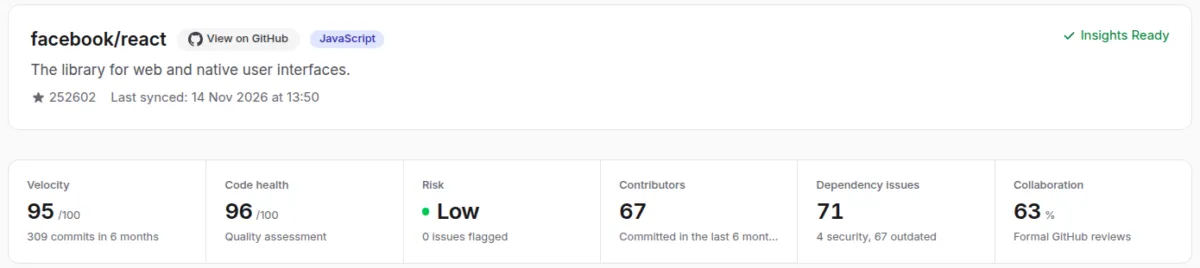
Connect GitHub, choose a repository, and a few minutes later you have its vital signs: how fast work is moving, the health of the codebase, the level of risk, who is contributing, out-of-date packages and how well the team reviews each other's work. Each figure is a doorway into a page that explains it.
Is the work moving?
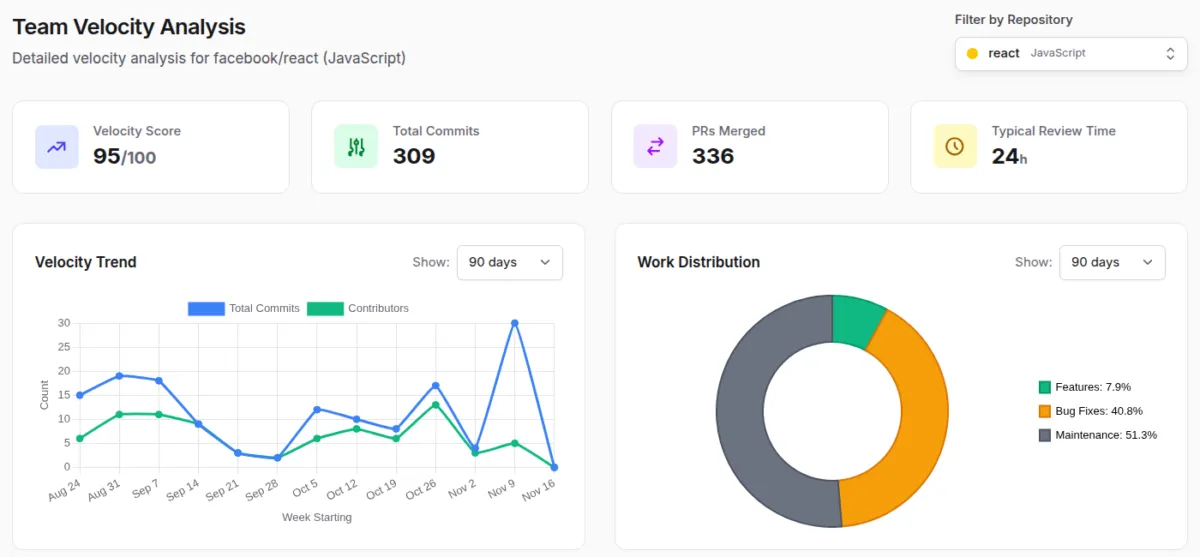
The Velocity page shows how much is being delivered week by week, how long a typical change waits for review, and what kind of work it is: new features, bug fixes or maintenance. A project spending most of its time on bug fixes tells a different story from one shipping features, and both are worth knowing before the next planning meeting.
A summary in plain English
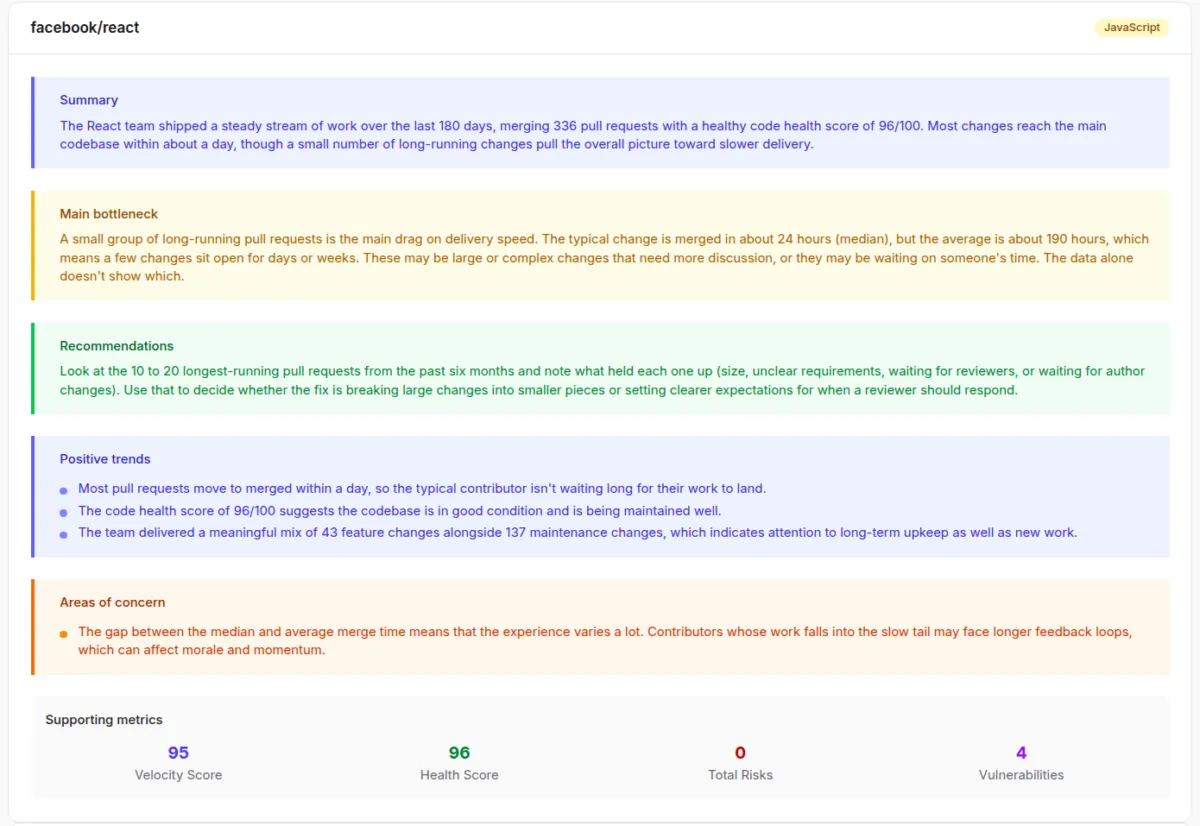
Numbers only help if you know what they mean. For each repository, GitVitals uses AI to write a short summary of what's going well, the main bottleneck and one sensible next step. For React it spotted that most changes are merged within a day, but a handful of long-running pull requests drag the average up to several days, and it suggested exactly how to look into them. It works from the figures and commit messages, never the source code.
Risks worth a conversation
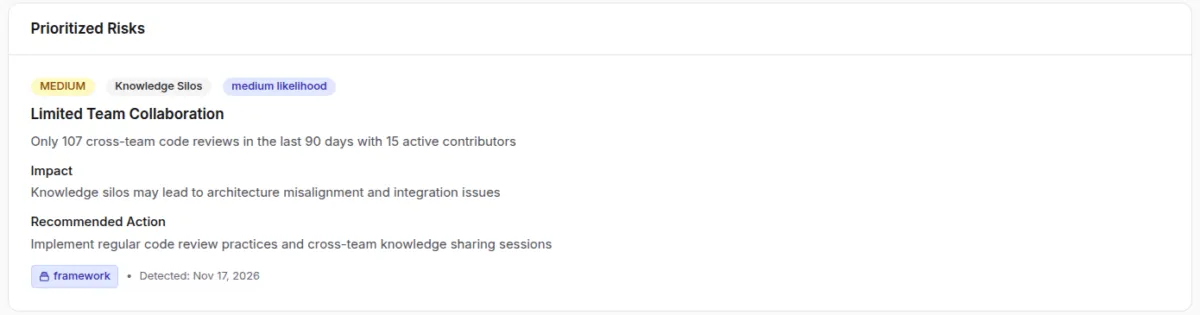
GitVitals looks for the patterns that cause trouble later: parts of the code only one person understands, a rising rate of bug fixes, work that isn't being reviewed. Each risk comes with its likely impact and a recommended action, ranked so the most serious come first. On the Laravel project, for example, it suggests spreading code reviews more widely across the team.
Out-of-date and vulnerable packages
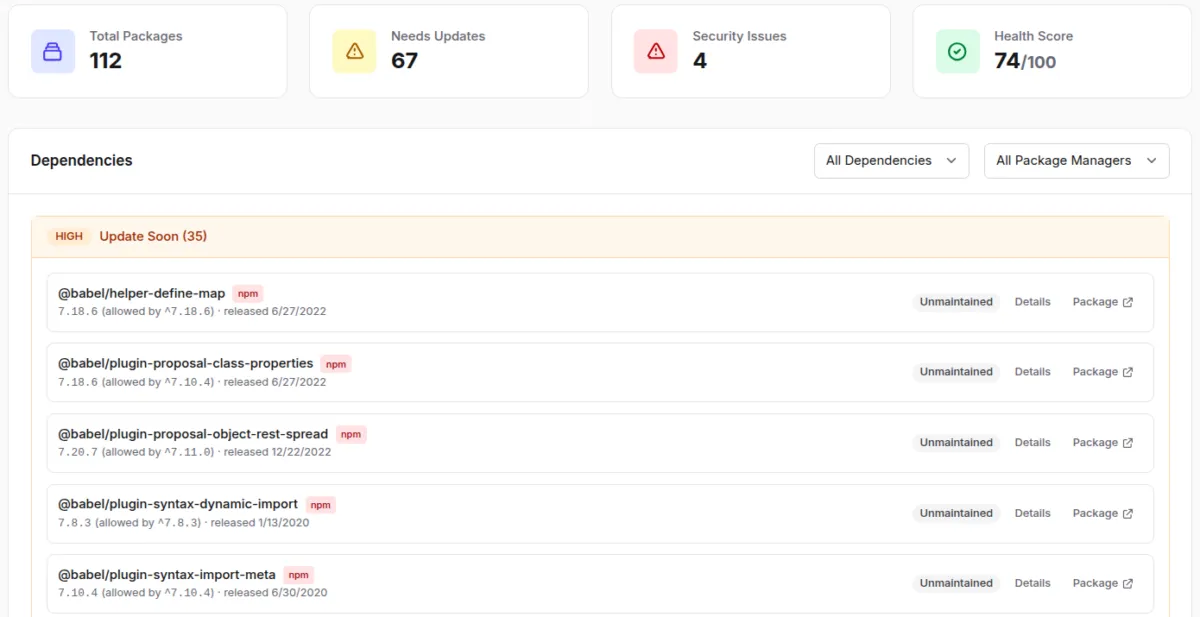
Most projects depend on dozens of outside packages, and they age quietly. GitVitals reads the project's package files, checks every package against the latest release and the GitHub Advisory Database, and lists what needs attention first: known security problems, then packages that are unmaintained or major versions behind.
Looking after the team
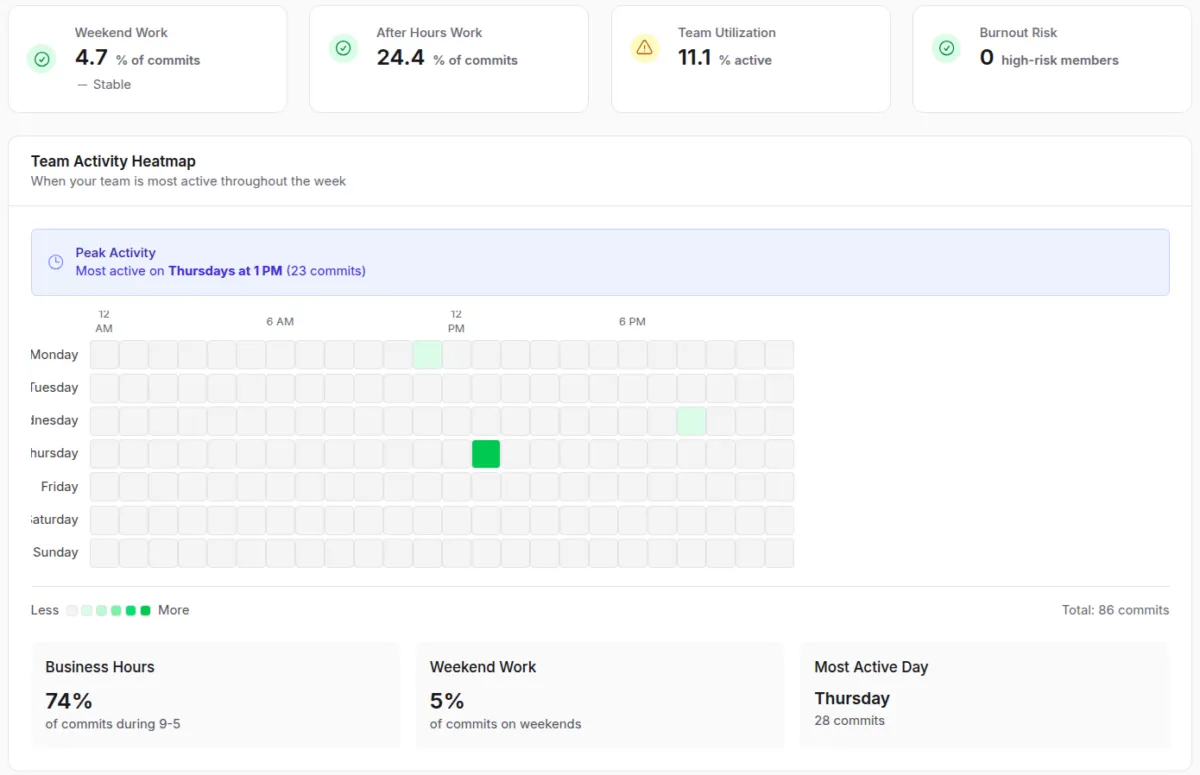
The Work patterns page shows when the team actually works: how much happens in the evenings or at weekends, and whether that's changing. A steady creep in late-night commits is often the first sign that a deadline is costing more than it should.
One thing GitVitals deliberately isn't is a way to rank developers or count lines of code. Every figure describes a pattern, and patterns have context a dashboard can't see. They're there to start a better conversation with the team, not to replace one.
How it's built
GitVitals is a Laravel and Vue application. It reads each repository's history through GitHub's GraphQL API in the background, working within GitHub's rate limits and picking up where it left off if it has to pause. Anthropic's Claude writes the summaries, and Stripe handles subscriptions. Reports download as PDFs written for non-technical readers, and Enterprise teams can have a weekly summary and new-risk alerts posted into Slack or Microsoft Teams.
Like everything I build, it has a large suite of automated tests behind it, close to 300, which is what lets me keep improving it every week without breaking what's there. It's the same way of working I describe in Working With AI as a Senior Developer.
Try it
Every plan starts with a 21-day free trial, with no card needed. For launch, use the code VitalDiscount2027 at checkout for 20% off your first year on any plan, until the end of 2027. Yearly billing is already 20% cheaper than monthly, so together they give the best price.
Visit GitVitals.dev, or explore the live examples first.
Need a web application built for your own business, or a second pair of eyes on a project that's drifting? I'd be happy to talk it through. Enquire now.